
Principles of Modding
Mods are a particularly special facet of EX-XDRiVER’s charts: every chart has them. What might be a bit harder to notice is that there is a particular style and quality to most of the mods in XDRV. XDRV’s mods are expressive and clean, increasing the difficulty of charts by small, yet controlled amounts.
This is actually easier to achieve than you might expect! By generally following a few rules, you can create mods that align with the sentiments of EX-XDRiVER’s base-game content. It also helps to know generally what each type of mod looks like in-game, including what values of emphasis and rest (typically the default position) look like for each.
Modding Conventions
Section titled “Modding Conventions”When creating mods for EX-XDRiVER, the basic goal of charters should be to represent the energy, rhythms, and dynamics of the song. In fulfilling that, there are a few rules that charters can follow to create mods that look and feel especially great.
Jumpcut vs Fluid Mods
Section titled “Jumpcut vs Fluid Mods”There’s a few ways to sort XDRV’s mods, but one way that is particularly useful is into two categories: jumpcut mods and fluid mods.
Jumpcut mods are mods whose start values are different from the value last set for their fields. This can occur with an xdrv.Ease whose start value is different from the last value set or any xdrv.Set. While jumpcut mods are visually impactful, players are more likely to lose track of elements on screen, which can make a chart disorienting and patterns hard to read. This effect can be mitigated either by making the distance between the last value and the new value very small or by using jumpcut mods only when patterns are less dense or empty.
Opposite of jumpcut mods, fluid mods are mods (eases, typically) whose start values are the same as the value last set for their fields. In XDRV, the majority of mods used in charts are fluid mods, as players can follow and read them far easier. Despite how the category sounds, fluid mods can be smooth or snappy; it largely depends on what ease is used. Out eases tend to be snappier, while InOut or In eases tend to be smoother. Eases like OutBack or OutElastic are especially good for fast, yet fluid mods.
Notice how similar these two mods are, yet they are sorted into separate categories:
-- This mod brings the camera y position upxdrv.Ease("camera_move_y",0,1,"beat",4,"len",4,"InOutSine")
-- This mod is jumpcut, returning the camera suddenly to restxdrv.Set("camera_move_y",0,"beat",8)-- This will be a bit disorienting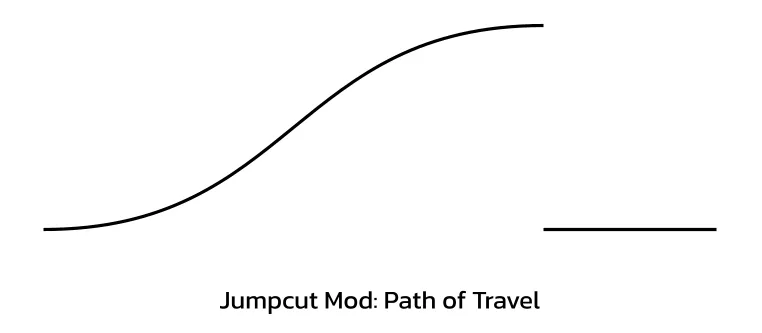
-- This mod brings the camera y position upxdrv.Ease("camera_move_y",0,1,"beat",4,"len",4,"InOutSine")
-- This mod is jumpcut, returning the camera to rest with an "OutElastic" motionxdrv.Set("camera_move_y",1,0,"beat",8,"len",1,"OutElastic")-- This mod will be fast and snappy, but not too disorienting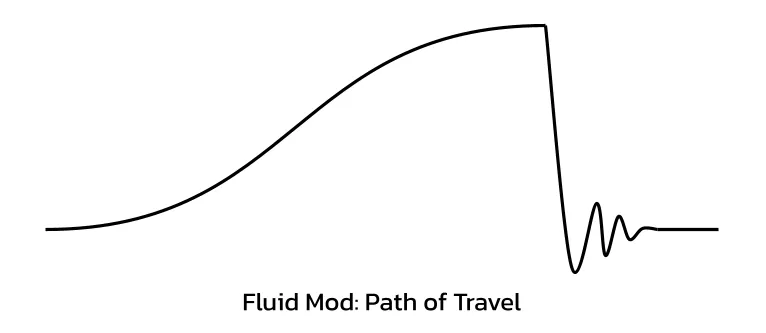
While fluid mods should be used considerably more in XDRV charts, jumpcut mods can be very effective when used properly. Consider referencing the following charts to see how both are used:
- And So You Felt EX
- jittter EX
- ENGINEDESTROYER EX
Flowing Eases
Section titled “Flowing Eases”Unlike background alphas, which tend to obscure eases and look seamless without much work, mods of different eases can have noticeable changes in velocity when back-to-back. This can result in mods that feel stilted and unnatural. To avoid this, consider the following principles when selecting eases:
InOutmods, if fluidly following the last mod, will most always look smooth.Outmods end smoothly but start with an impulse. This impulse can usually be contextualized by a sound in the song.Inmods end abruptly, which can feel weird and stilted, even if a sound in the song justifies it.- To mask this, you can place an
Outmod at the end of theInmod, having the motion go either in the opposite direction or a bit in the same direction as the previous mod. - You can also lean into the change in velocity by doing a jumpcut mod to a totally different value.
- To mask this, you can place an
Matching Notes and Mods
Section titled “Matching Notes and Mods”In many charts, mods are written to match note types in the patterning. Sometimes, tracks move as gears are toggled on and off; other times, the camera leaps upwards when a hold chord occurs; every so often, the camera moves further left or right when a drift occurs in that direction.
By making mods that reflect the patterning of your chart, you can improve the synergy between your modding and patterning, making the experience of playing your chart more fun and cohesive. Consider looking at the following charts to see how charters can synergize mods and patterns:
- ETIQUETTE EX
- GUNK EX
- Fly Wit Me HY
Per-Beat Mods
Section titled “Per-Beat Mods”Per-beat mods refer to any mods that happen at a frequency of once every beat. These mods are a common way of adding energy to sections that have no room for larger, one-shot mods. This can be something as small as having the camera pop up, having the speed reel back slightly, shuffling the position of tracks, or bumping the scale of notes. Per-beat mods are a perfect way to represent percussive patterns, although representing every four-on-the-floor kick with a per-beat mod may feel excessive.
Per beat mods are typically implemented using for loops, like so:
-- Pop the camera up every beatfor i = 4, 24 do xdrv.Ease("camera_move_y",0.1,0,"beat",i,"len",0.75,"OutCubic")endFor sounds that don’t hit at a per-beat frequency, they can be represented very similarly to per-beat mods, using the new frequency instead. Building on that, it can be interesting to layer per-beat and other repeated mods. If you have a kick on every beat and snares on every other beat, for instance, you could represent each kick with a camera pop and each snare with a sideways track movement.
For good examples of per-beat mods, consider referring to the following charts:
- METASCHIMATIS EX
- ETIQUETTE EX
- valor/starcross EX
Mirroring Motion
Section titled “Mirroring Motion”Similarly to patterning, if you feel that you have repeated a mod too many times, you can create some variety by having the mod operate in another direction. If in one mod, objects in the scene move right, you can repeat the mod later, but have objects move left instead. This can also prevent mods from skewing too hard in one direction, making your overall modfile feel unbalanced.
For per-beat mods, mirroring repeated motions can be very helpful, creating a small amount of variety. You can still use a for loop to accomplish that, but you’ll need to have a variable flip or get negated each beat.
-- Move the camera to the sides every beat-- First occurence goes right, second goes leftlocal direction = 1 -- our variable to flipfor i = 4, 24 do  xdrv.Ease("camera_move_x",0,0.5*direction,0,"beat",i,"len",0.25,"OutCubic")  xdrv.Ease("camera_move_x",0.5*direction,0,"beat",i+0.25,"len",0.75,"InOutQuad")
  direction = -direction -- flips the variableend
Unlike patterns, where the only feasible transformation is mirroring across the center of the playfield, mods can be transformed in more ways than one. Consider rotating a mod so that consecutive hits occur at angular increments (this might require some Lua trigonometry to accomplish).
Less is More
Section titled “Less is More”It’s easy to overdo the amount of mods you have in your chart by trying to represent every sound in the music with mods. Generally, however, by reserving your mods for the most impactful sounds in each section, you can make a modfile that is cleaner, less cluttered, and better paced. Besides, if you have a sound you want to represent visually, but think mods would be too much, then a background event might be the way to go.
Mod Types and Frequencies
Section titled “Mod Types and Frequencies”While XDRV supports a slew of different mods, you may notice that some mods appear more frequently than others. The spread of mod is a large factor in the shared visual style of base-game mods in XDRV. As a charter, you can replicate these frequencies by implementing common mod types more heavily and using rarer mod types only in special cases.
For the sake of categorization, mod types in XDRV can be split into three categories: common mods that appear in nearly every modfile, uncommon mods that appear in only some modfiles, and rare mods only used for specific effects or gimmicks.
| Mod Frequency | Included Mods |
|---|---|
| Common (Used in most modfiles) | Camera movement / rotation, track movement / rotation, speed |
| Uncommon (Used in some modfiles) | Note movement / scale, track scale, FOV, track color & opacity |
| Rare (Used only in special cases) | Render line movement, drift tilt multiplier, other opacity controls |
For brevity, this article won’t go into the rarer mods, but I recommend you explore them on your own!
Camera Movement & Rotation Common
Section titled “Camera Movement & Rotation ”In EX-XDRiVER, the camera can be moved to a variety of positions. In most charts, this manifests into one of four directions: bringing the camera up, bringing the camera down, bringing the camera left, or bringing the camera right.
Each of these motions can produce a different effect. Bringing the camera up can represent louder or atmospheric sections, while bringing the camera down can represent quieter, more intimate sounds. Left and right camera motions are often used to emphasize impacts.
See the following camera positions and accompanying code for reference:
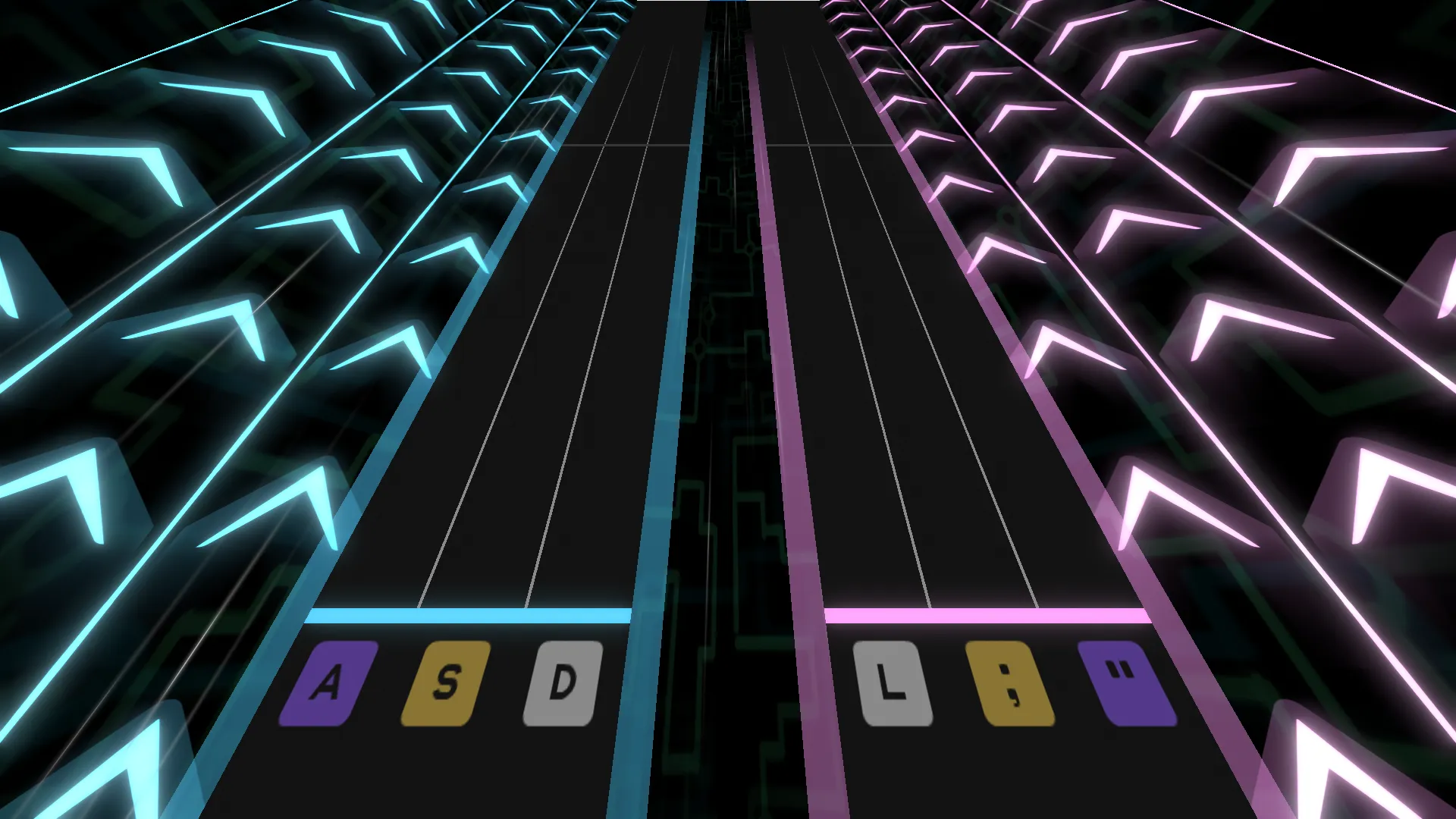
-- Default position of the camera. No mods necessary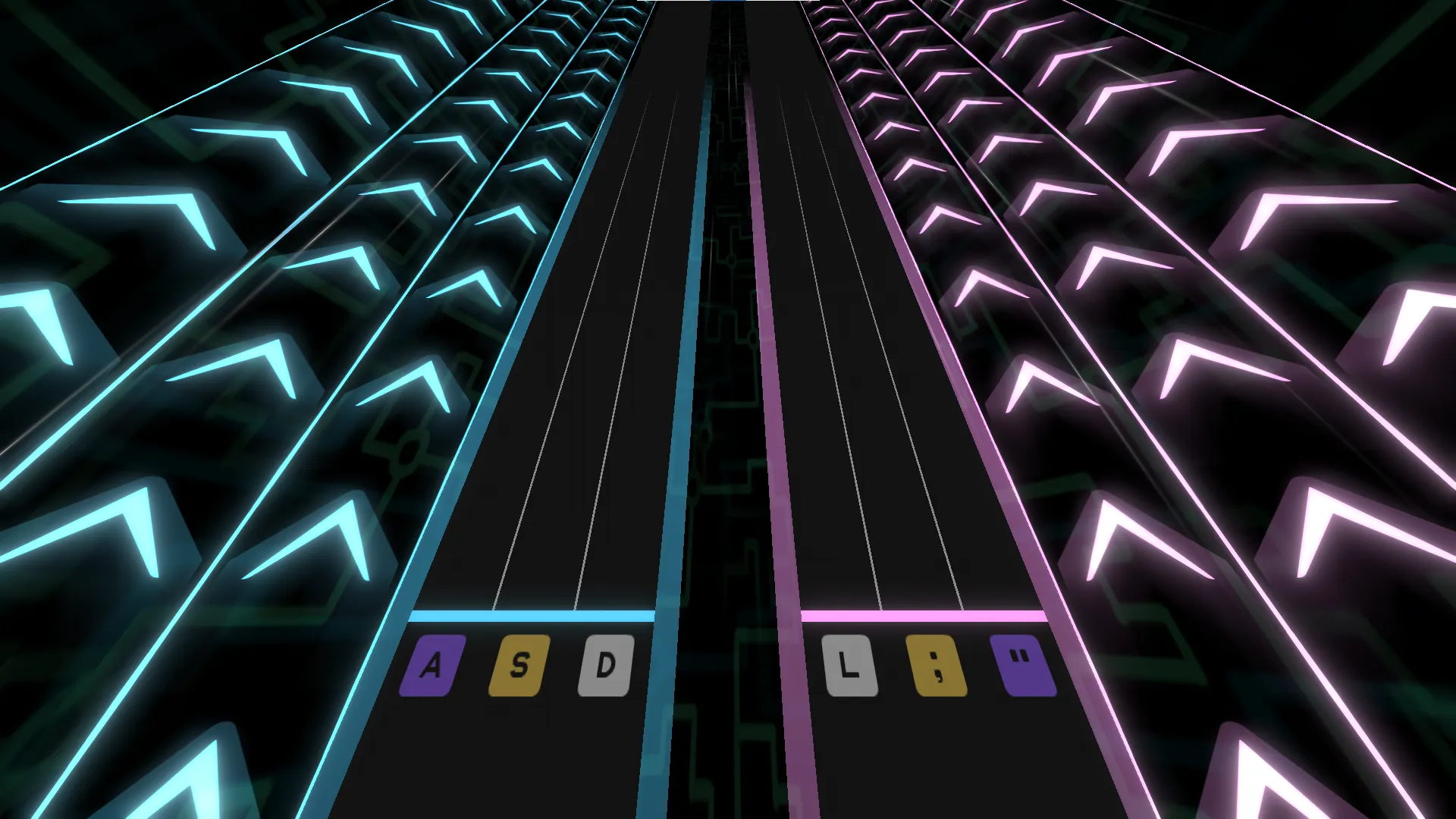
-- This mod brings the camera upxdrv.Set("camera_position_y",1,"beat",0)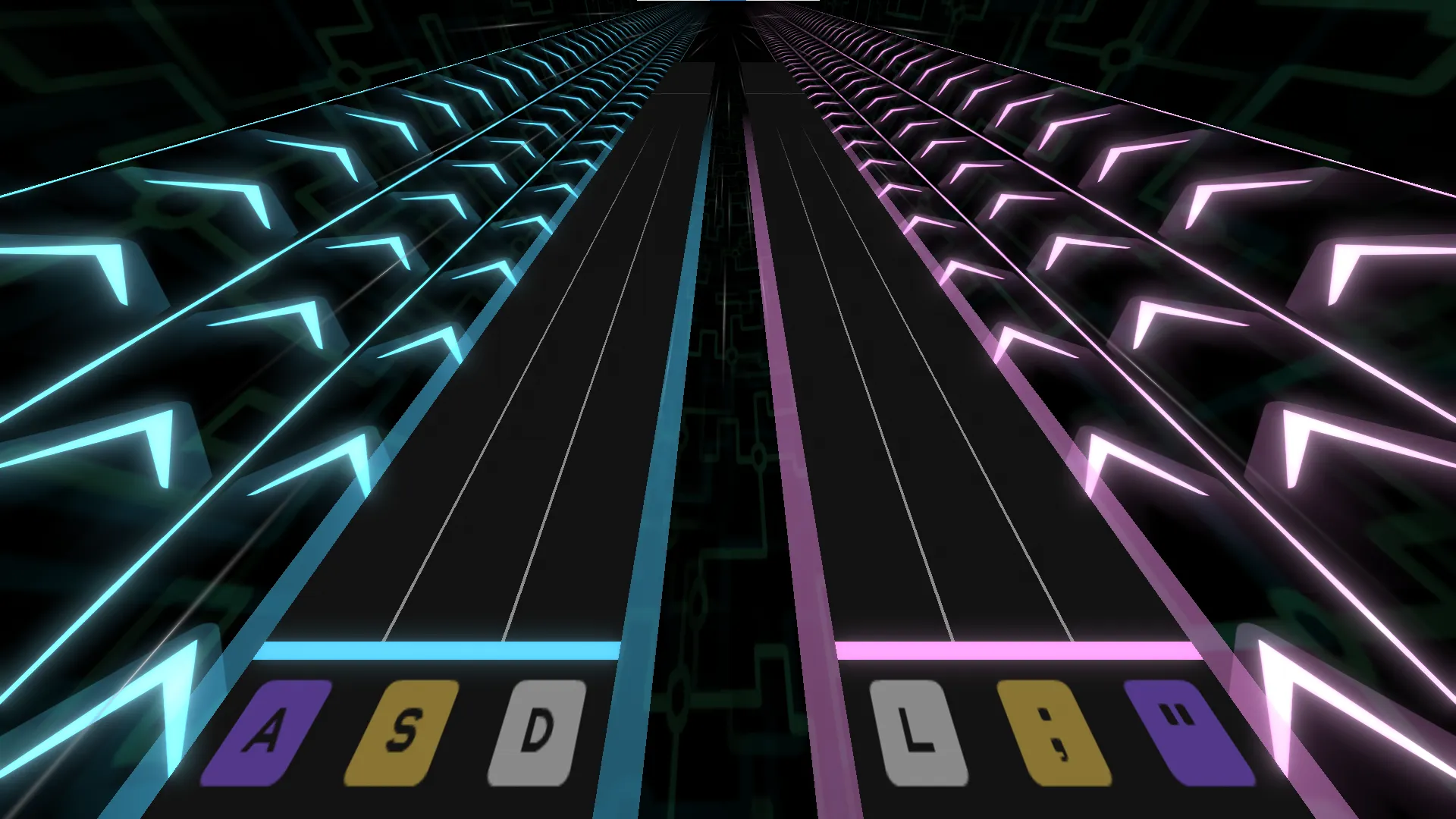
-- This mod brings the camera down, angling it slightlyxdrv.Set("camera_position_y",-0.2,"beat",0)xdrv.Set("camera_position_z",-0.2,"beat",0)xdrv.Set("camera_rotation_x",-8,"beat",0)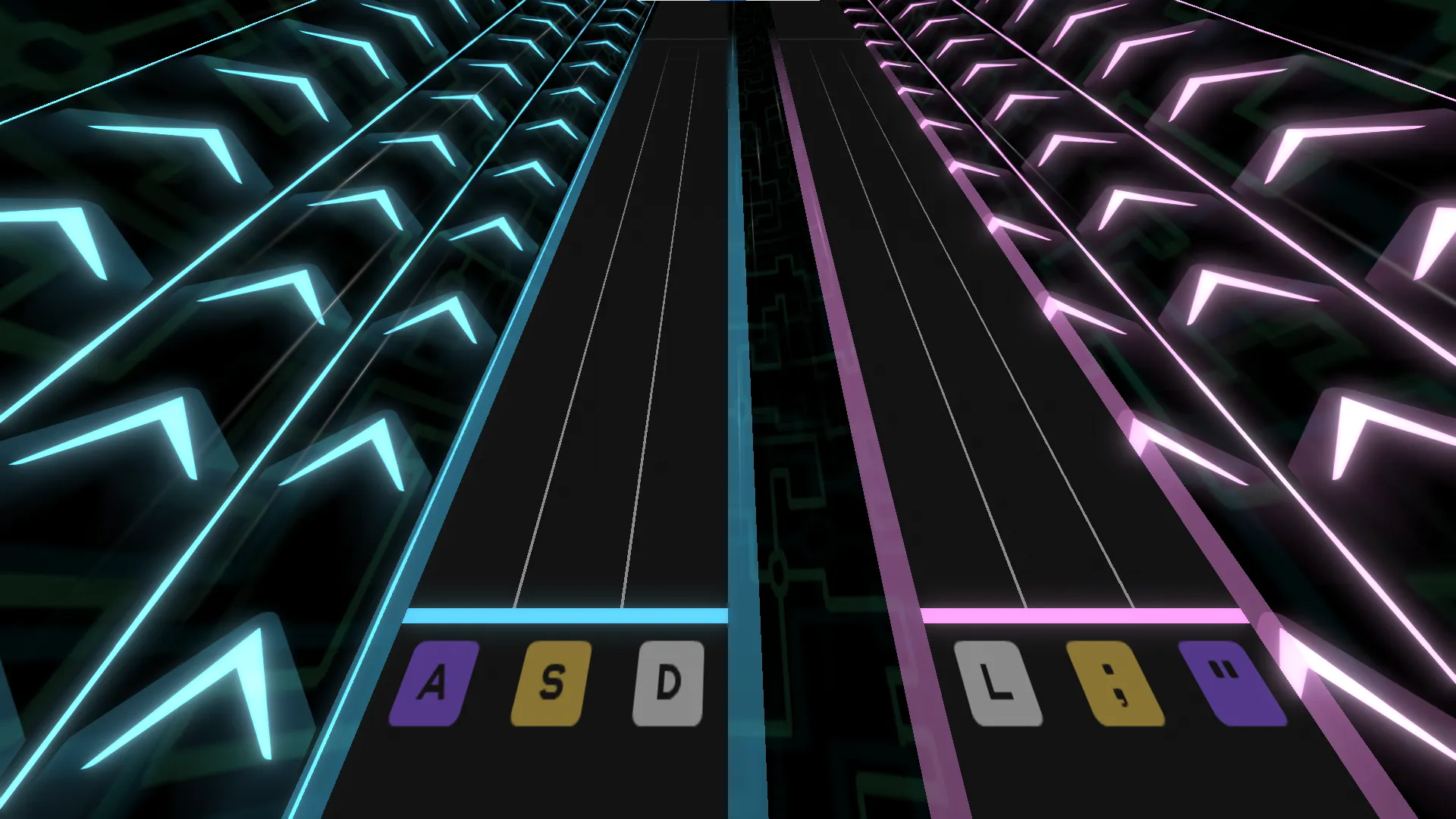
-- This mod brings the camera leftxdrv.Set("camera_position_x",-0.75,"beat",0)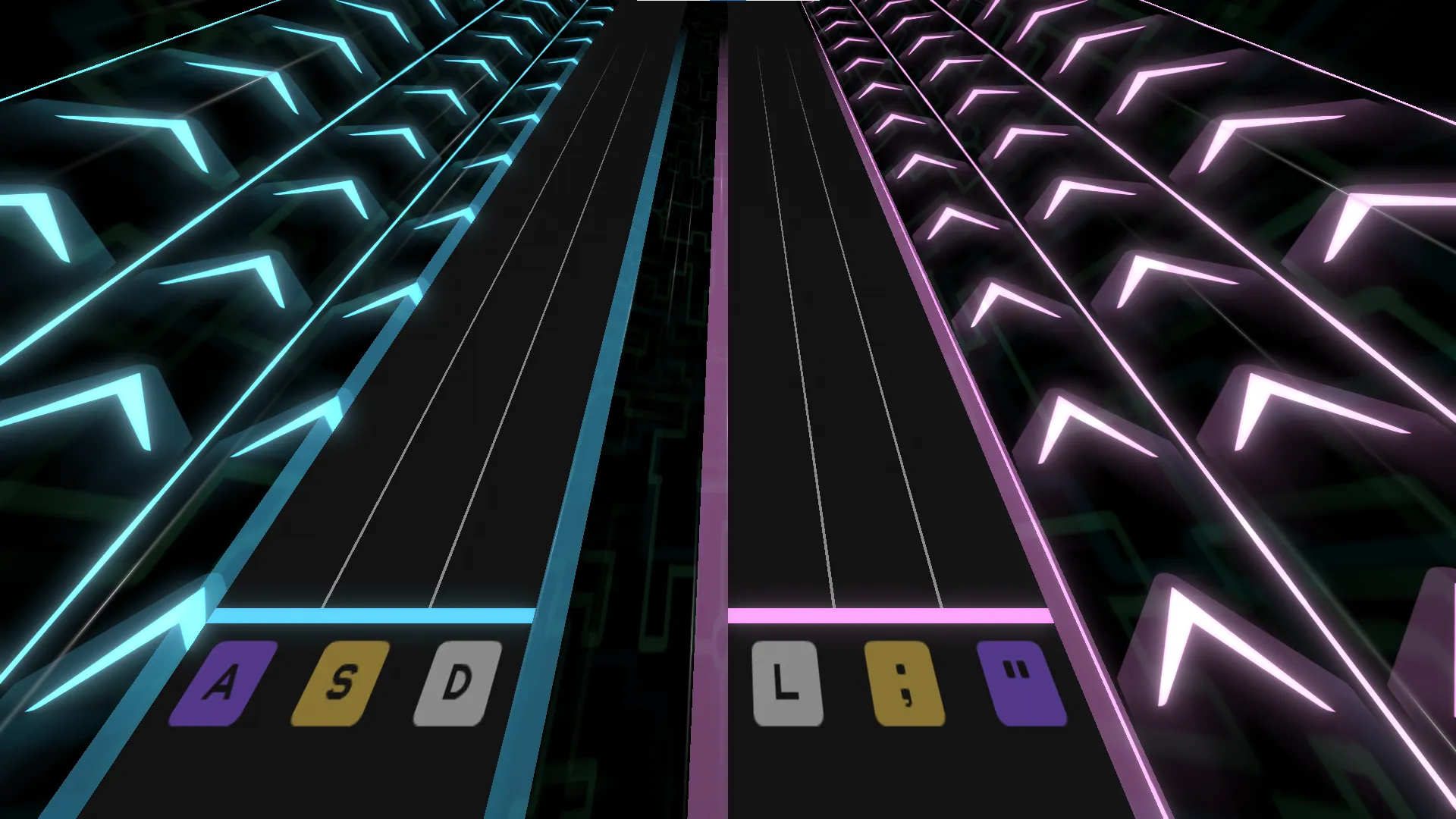
-- This mod brings the camera rightxdrv.Set("camera_position_x",0.75,"beat",0)When lowering the camera, to enhance readability and reduce claustrophobia, you may want to offset the camera by a small negative x rotation and negative z position. This brings the camera back and points the camera up slightly, making more of the track visible. This angle can make notes appear as if they travel faster, however, so you may want to lower the note speed to compensate.
Camera motion can also be good for per-beat effects. Consider popping the camera’s y position up or bobbing the camera’s z rotation to each side.
Track Movement & Rotation Common
Section titled “Track Movement & Rotation ”Track movement and rotation are other common mods that charters use. Track movement is great for emphasizing percussion or other noteworthy sounds in the music. Consequently, track mods are often timed to match the gears in the chart.
Most track position mods affect the x axis, holding the track in position until returning the track to rest some number of beats later. Y position can be moved similarly, but proper space between the track and the camera should be given to maintain readability. Z position can be moved as well, producing unique visual affects depending on the motion.
Here are some examples of track position along the x axis in XDRV:
-- Default position of the tracks. No mods necessary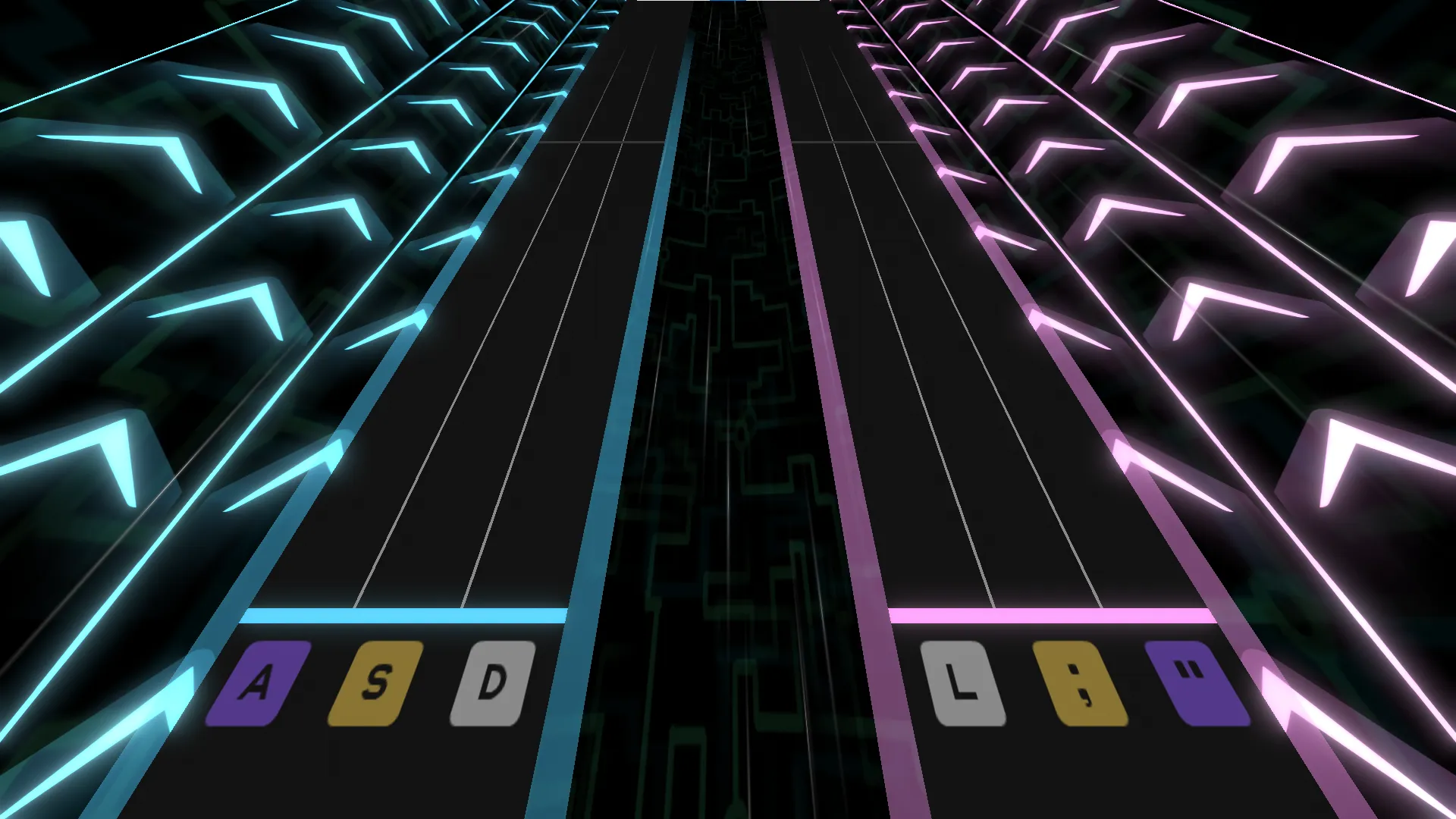
-- This mod brings the tracks further apartxdrv.Set("trackleft_move_x",-0.5,"beat",0)xdrv.Set("trackright_move_x",0.5,"beat",0)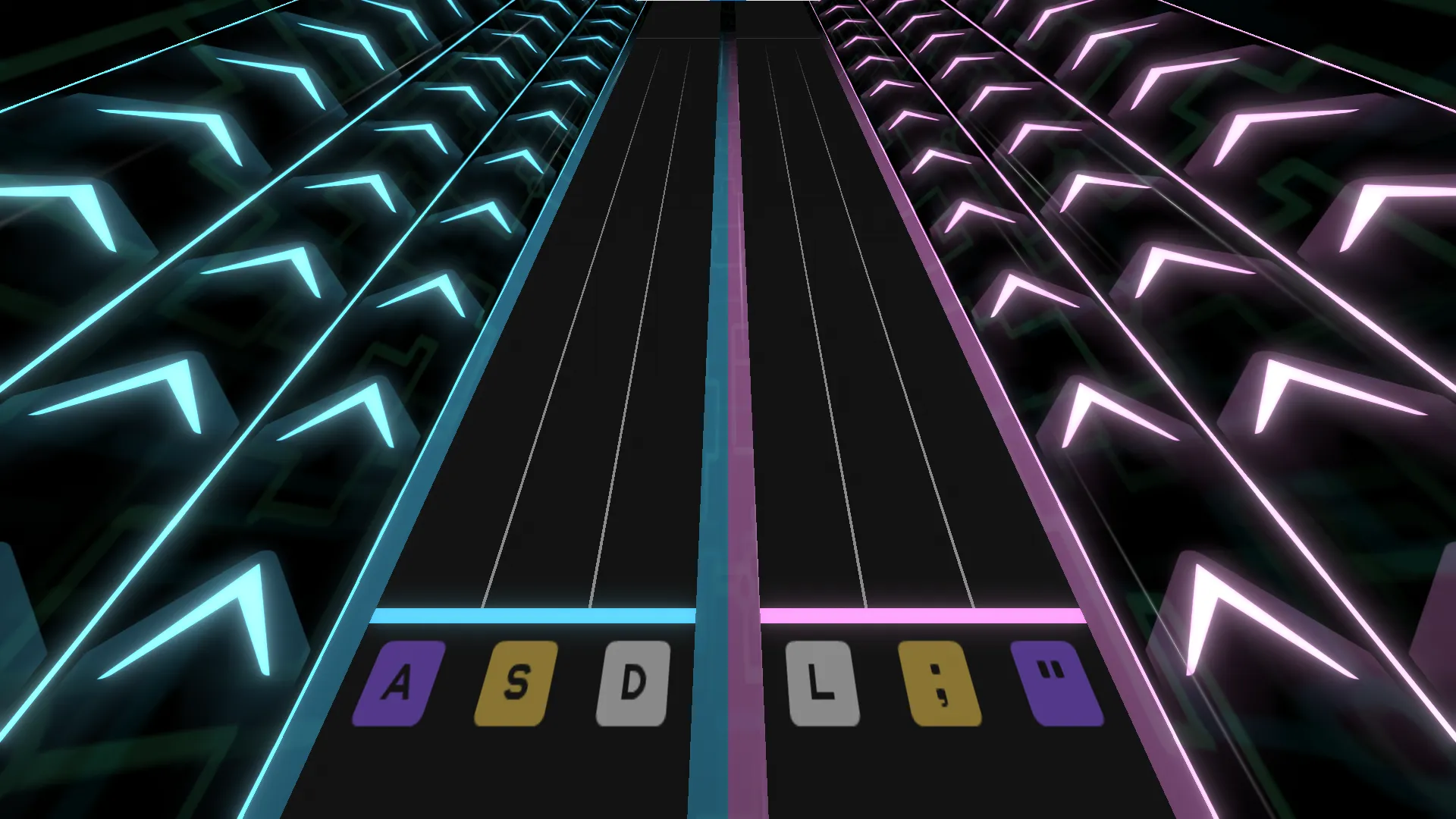
-- This mod brings the tracks together, making them touchxdrv.Set("trackleft_move_x",0.5,"beat",0)xdrv.Set("trackright_move_x",-0.5,"beat",0)While tracks can be rotated on all three axes, charters largely only rotate tracks on the z axis, as the other two axes rotate oddly. With that said, Z rotations can be really fun, adding a lot of dimension to track motion. Barrel rolls, where a track is rotated a full 360 degrees, are a favorite of charters and players alike.
Speed Changes Common
Section titled “Speed Changes ”Note speed changes are a common and familiar mod for XDRV charters to use. Speed change mods typically manifest in two forms: slowdowns, where an entire section of patterns will move at a lower scroll speed, or squashes and stretches, where the note speed is briefly increased or decreased before being returned to the original value. Slowdowns are great for reflecting the softer parts of a song, offering a brief reading challenge to players. Squash and stretch effects, on the other hand, are great for emphasizing impactful sounds or percussion in the song.
There’s a lot more that can be done with speed changes, however; consider flickering between two speeds, or making notes have divergent scrolls.
Note Movement & Scaling Uncommon
Section titled “Note Movement & Scaling ”Note movement and scaling are used far less commonly than the previous mods, but they have their own qualities. Note movement and scaling are great for per-beat mods, and they can also be very useful for representing foley or unique sound design.
While these mods can be nice, excessive movement or scaling can jumble patterns up, making them harder to read and execute.
Field of View Uncommon
Section titled “Field of View ”Field of view (FOV) is a camera mod that has a lot of potential for use. If you’re not familiar with perspective cameras, FOV adjusts how wide the angle of vision is from the camera in the scene. Raising the value makes the angle wider, while lowering the angle makes the angle narrower.
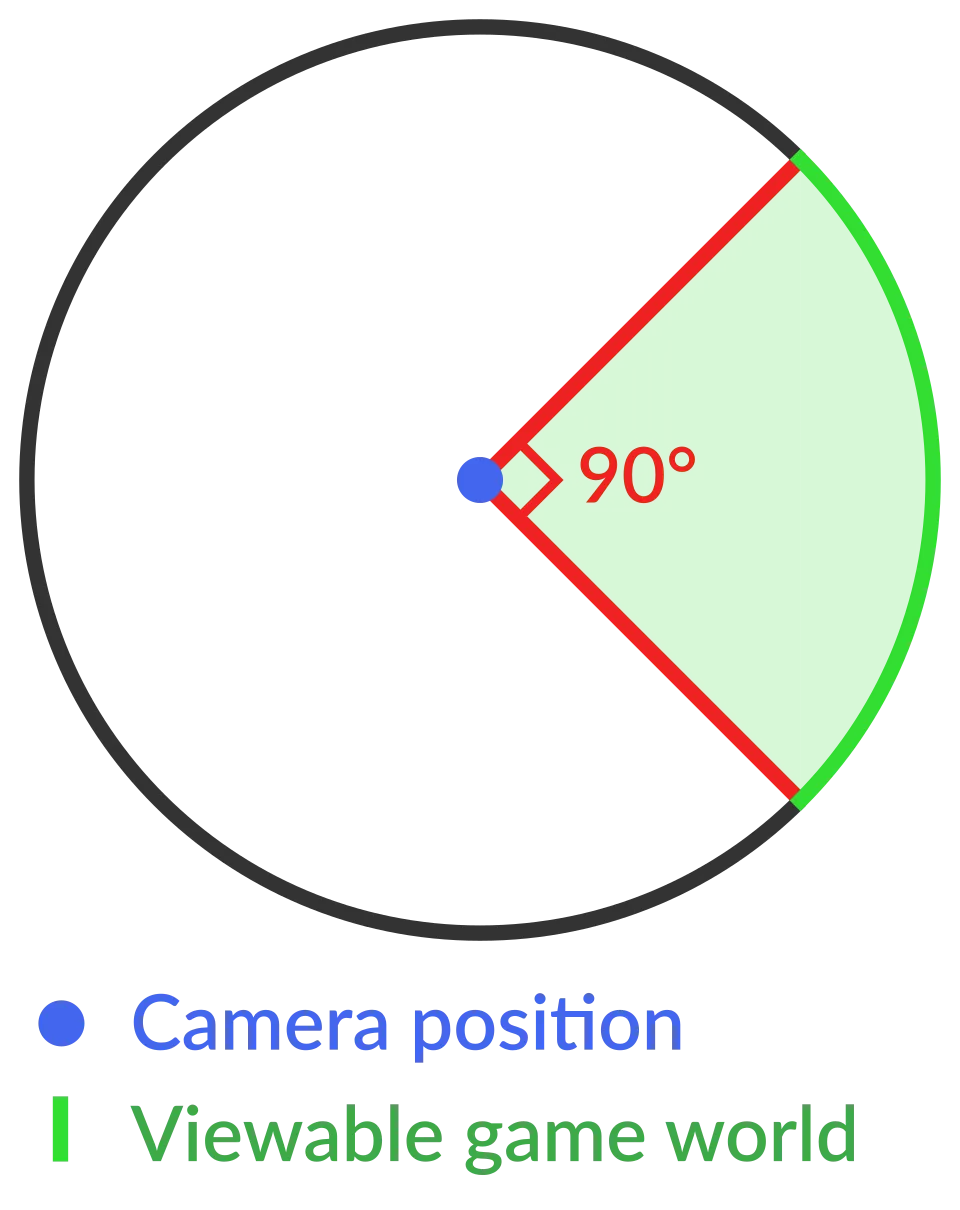
Adjusting field of view can be really useful for emphasizing the speed of a section or building up to an impactful moment, but FOV can also feel awkward very quickly. Small changes to FOV can go a long way.
-- Default FOV. No mods necessary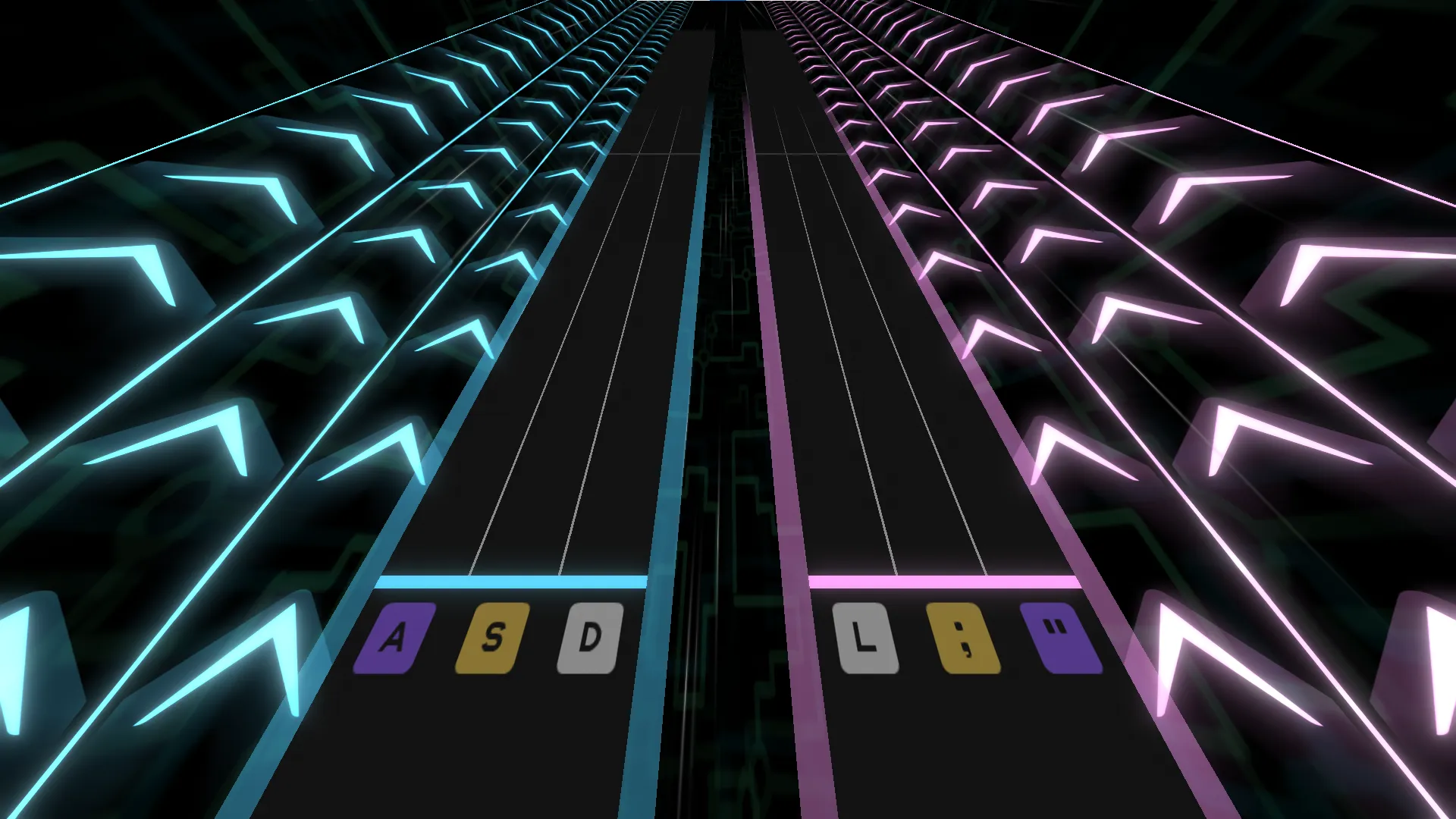
-- This mod increases the camera's field of viewxdrv.Set("camera_fov",110,"beat",0)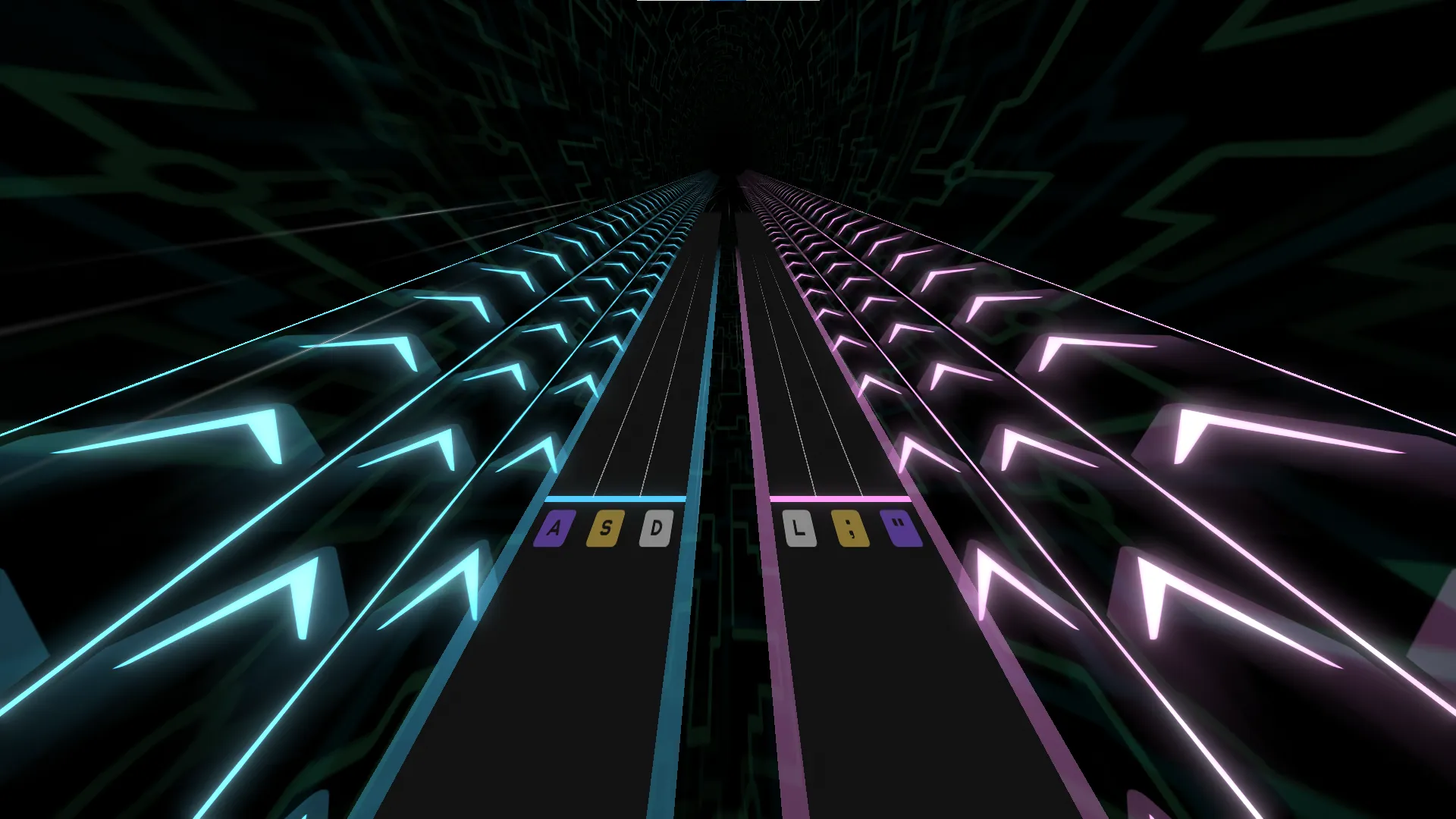
-- This mod increases the camera's field of view a bit too muchxdrv.Set("camera_fov",140,"beat",0)Track Color & Opacity Uncommon
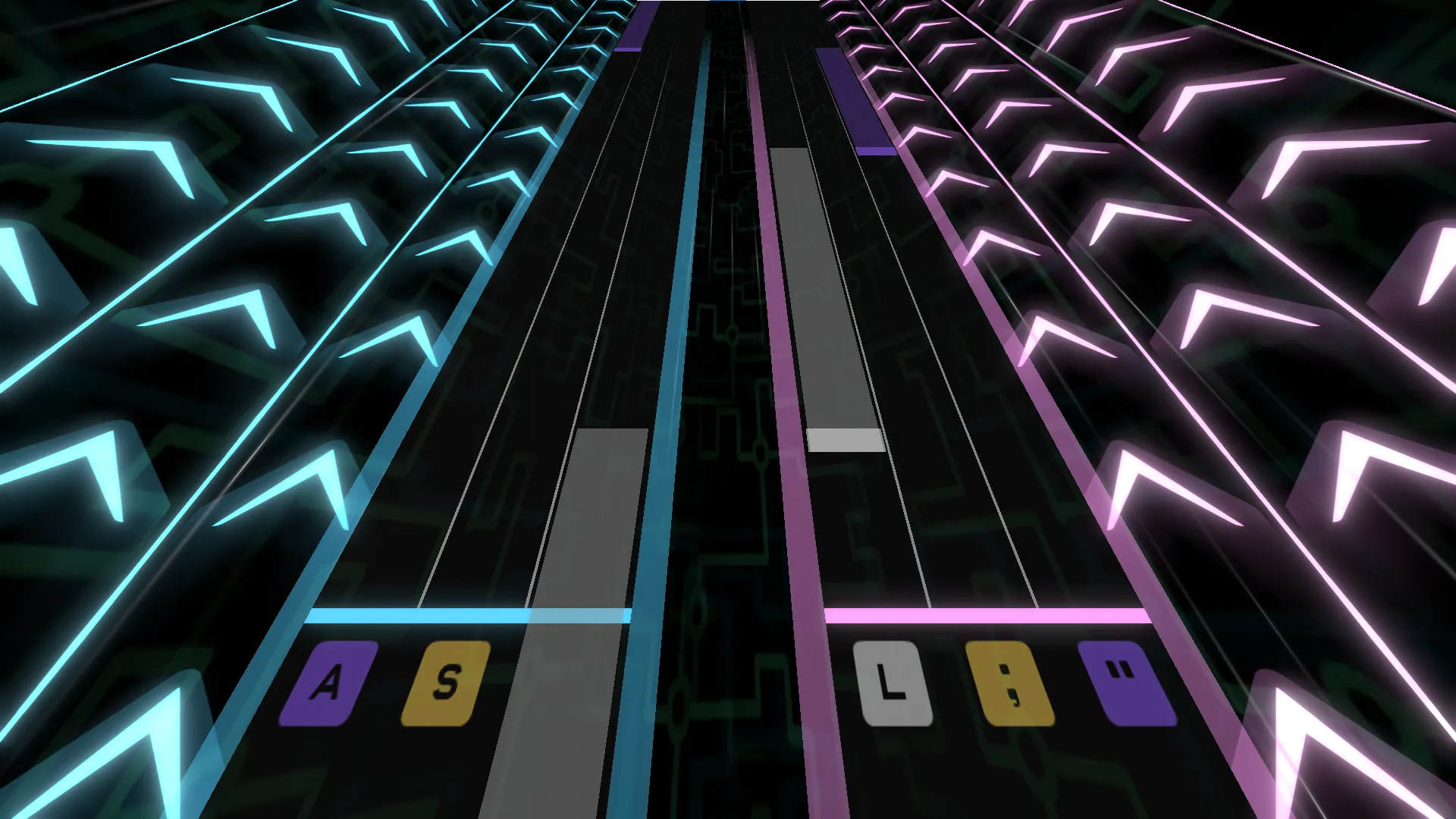
Section titled “Track Color & Opacity ”Track color and opacity changes are only used in a few XDRV charts, but they are used to great effect. By changing the red, green, blue, and alpha values of the left and right track, charters can make the tracks themselves pulse or cycle colors, creating a unique visual effect for key parts of the chart. Alternatively, by decreasing the alpha of the track, the player can see the background below, making the scene feel larger and more atmospheric.
Evolving Visual Conventions
Section titled “Evolving Visual Conventions”A lot of the differentiation between common, uncommon, and rare mods is based in what base-game XDRV charts currently use. In earlier versions of the game, a good few of these mods had not yet been implemented! The visual conventions of XDRV modfiles are likely to evolve over time, especially as charters try out new visual effects. Feel free to be inventive and establish visual conventions of your own.
Other Modcharting Aesthetics
Section titled “Other Modcharting Aesthetics”If you are coming from a different rhythm game with its own modfile aesthetics (i.e. NotITG), you may want to incorporate some of the visual style you already know into your XDRV chart’s mods. Although the end result will diverge a bit from base-game XDRV mods, it may make modding more approachable and intuitive to you.
At this point, you should now have a basic understanding of visually appealing mods. While this article goes over much of modding for XDRV, as with much of the XDRV chart design process, the best way to improve and understand modding is to experiment and practice!
At this point, there’s not much else I could share about the charting process that you couldn’t figure out yourself. I hope you’re able to create charts for XDRV that speak to both you and the people that play them.
Before you go, if you’d like to see some examples of mod functions made for EX-XDRiVER, check out the next article. Otherwise, thanks for reading, and best of luck!